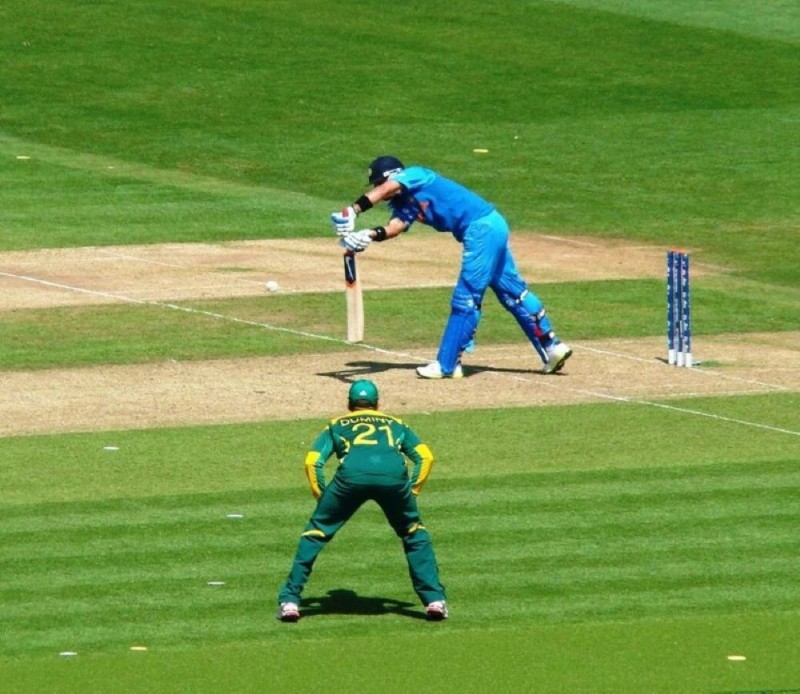
Every turf cricket match has that one moment. The run-out attempt, the disputed wide, the front foot that may or may not have crossed the line. Someone says out. Someone says not out. The next ten minutes are no longer about cricket.
Third Eye is a free, browser-based AI umpiring tool built specifically for turf cricket. Point a phone at the crease, calibrate once, and it automatically calls no-balls, wides, and run-outs in real time using your phone camera — with a snapshot and a confidence score for every single decision. No app to download. No subscription. No data uploaded anywhere.
How It Works
Third Eye uses two technologies running entirely on your phone. The first is motion-based line detection — you draw your crease and wide-marker lines once on the screen, and the tool watches for any crossing event in real time. The second is Google’s MoveNet pose estimation model, which identifies the batsman’s hip and thigh position from the camera feed and marks a live height reference line — useful for full toss and height-based calls.
Run-out decisions work by comparing two timestamps: when the stumps zone registers a disturbance, and when the bat or foot crosses the crease line. The gap between those two events — measured in milliseconds — determines the verdict and sets the confidence percentage. The wider the gap, the more certain the call.
Three Modes, Three Camera Positions
The tool runs in three distinct modes, each designed for a specific camera position on the pitch:
Bowler End — Camera placed side-on near the bowler’s end popping crease. Detects front-foot no-balls and off/leg-side wides automatically as the ball crosses your calibrated lines.
Striker-End Leg Umpire — Camera placed square-on at the striker’s crease, side-on to the batsman. Handles run-out decisions at the batter’s end and provides a live hip/thigh height overlay for full-toss height calls.
Non-Striker Leg Umpire — Camera placed square-on at the non-striker’s crease, mirroring the leg umpire setup at the bowler’s end. Solves the bowler-occlusion problem for run-outs at that end — the camera is no longer behind the bowler’s follow-through, so stumps and crease are cleanly visible.
Setup Instructions
- Mount your phone on a stand — fixed position is essential; any shift after calibration makes line calls inaccurate.
- Open this page on your phone browser and allow camera access when prompted.
- Select the mode matching your camera position.
- Tap Calibrate and drag lines across the crease and wide markers on your screen.
- Tap the ball once in Settings to save its colour — this improves motion detection accuracy.
- Tap ARM before each delivery. The tool only watches for triggers while armed, so between-ball movement and chatter never create false calls.
- Decisions appear as non-blocking toast cards with a snapshot. Every verdict is saved to the Game Log automatically.
What Third Eye Can and Cannot Do
Line-based calls — no-ball, wide, and run-out crease crossing — are the most reliable category. These are physics-based threshold detections: something crossed a fixed line, or it did not. The confidence on these calls is consistently high when the camera is fixed and calibrated correctly.
Height-based calls (thigh-high full toss) use a 2D pose estimate, which means they are a best-effort visual assist rather than a guaranteed measurement. A single phone camera cannot determine true 3D depth, so the hip and thigh reference lines on screen give you a strong visual starting point — and the replay buffer lets you confirm frame-by-frame — but the umpire’s eye has final authority on height calls.
The tool also detects when a player or fielder blocks the lens at the key moment and logs “verdict unavailable” instead of issuing a wrong call. That is one thing most human umpires rarely admit.
Privacy
Nothing leaves your phone. All camera processing, pose detection, and motion analysis runs locally in your browser. The session log — with snapshots and short clips of every decision — exists only in your phone’s memory and is erased when you close the tab. Export it as a JSON file before you leave if you want to keep the record.
FAQ Schema Block
Q: Does Third Eye require an app download? A: No. Third Eye runs entirely in a mobile browser — Chrome on Android or Safari on iOS. Open the page, allow camera access, and start.
Q: Does Third Eye work offline? A: Line detection and motion tracking work offline once the page has loaded. The pose estimation engine (for hip/thigh height calls) requires an initial internet connection to load the AI model.
Q: How accurate are the run-out decisions? A: Run-out timing compares two timestamps — stumps disturbance and crease crossing — and outputs a confidence percentage based on the millisecond gap. A 50ms gap gives roughly 58% confidence; a 200ms gap gives roughly 78%. The wider the gap, the more certain the call.
Q: Which phones work best with Third Eye? A: Any smartphone from 2020 onward running Chrome or Safari handles all three modes smoothly. On older or budget phones, the pose engine for height calls may slow down — a toggle in Settings disables it, keeping line-call performance fast.
Q: What happens if someone blocks the camera? A: Third Eye monitors frame variance every cycle. A sudden flat or near-black frame triggers an obstruction flag — the verdict for that delivery is logged as “view obstructed — verdict unavailable” instead of issuing a potentially wrong call.
Q: Can I reuse my calibration at the same venue? A: Yes. Export your calibration from Settings as a JSON file and import it at your next session at the same ground. Line positions are stored as normalised ratios so they survive as long as the camera angle and mount position match.